Demo

Every finding opens at the page it came from

One ISO 13485 audit of a 30-document quality system. When someone asks where a finding came from, you are already looking at the paragraph.

Real screens from a real audit. Nothing here is simulated.

← Back to the sample audit
app.aligntra.com/app/audits/aud-c4232c0afa70?tab=documents LIVE
The documents screen: 30 uploaded documents, all analysed, with their mapped clauses, analysis status, evidence substance and finding counts.
What you give it 30 documents, and the clauses each one was read against
The audit summary: a provisional 54 percent conformance figure, 64 findings split by severity, and section-by-section coverage.
What comes back the standing of the system, and the coverage it rests on
The coverage screen: 243 of 292 clauses assessed, a compliant, observation, minor and major breakdown, and the requirement list.
What it has not looked at yet 243 of 292 clauses assessed, 49 still to cover
The issues queue filtered to one procedure: five findings, each with a severity, the clause it fails, a one-line summary, its source document and review actions.
One finding, in the standard’s words a named clause, and the part of it that is unmet
Clause 7.3.6 in full: the verbatim requirement, a minor nonconformity with its reasoning, and the evidence quote it was based on.
Why it is a finding the requirement, what the procedure leaves out, and the quote it rests on
The finding beside the procedure it came from, open at page 10 of 16 with the two relevant paragraphs highlighted and an evidence counter reading 1 of 5.
Open at the page the paragraph in the document, highlighted, with nothing to go and look up
The review room: one finding marked AI draft and unreviewed, its evidence quote, the procedure open beside it, and the Dismiss, Reclassify and Confirm actions an auditor uses to decide.
And then a person decides the machine drafts the finding; an auditor confirms it, reclassifies it, or throws it out
The records screen: six record findings across one record, verified against the procedure that governs it.
Records checked against the procedures that govern them
The remediation screen: two confirmed findings with both their plans ready to export.
Remediation confirmed findings and their plans
1 / 6

The full screens need a wider window. These are details at close to full size.
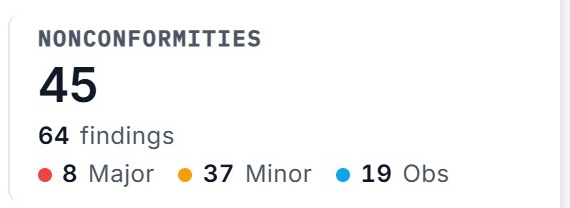
The nonconformities tile: 45 nonconformities out of 64 findings, 8 major, 37 minor and 19 observations.

What was found

The standing of the quality system, and the coverage behind it. It stays marked provisional until every clause in scope has been assessed.

243 of 292 clauses assessed, with 49 not yet assessed.

What it has not looked at yet

The clauses still to assess, named as work rather than folded into a score.

A finding row: minor nonconformity, clause 4.2.1 family, one of five requirements unmet.

One finding

Each finding names its clause and how much of that clause is unmet, so it can be confirmed, reclassified or dismissed on its own.

The evidence quote, with the passage the finding rests on highlighted.

The sentence it came from

“The project team shall determine the scope and methods of testing based on the nature of the design. Test results shall be documented and reviewed.”

SOP-DC-001_Design_Control.pdf · 6.5 Testing · p.10

Every finding carries the passage it came from and the page it sits on, so the answer to “where does it say that?” is already open.

Run this against your own quality system

Same standard, your procedures, and the same trail behind every finding. We will walk the results with you and open each one at its page.

Request a demo