Explore a full audit from start to finish
These are the product’s real screens from one audit on the example QMS: each document read against ISO 13485, nonconformities cited to a page and paragraph.
Click through it yourself
The same seven screens, interactive. Move at your own pace, open what you want, and check any finding against the document it came from.
Nothing is simulated; the screens come straight from the example audit. Use the arrow keys or the step controls to move between the summary, coverage, documents, the issues queue, records, remediation and a clause in full.
Open the clickthrough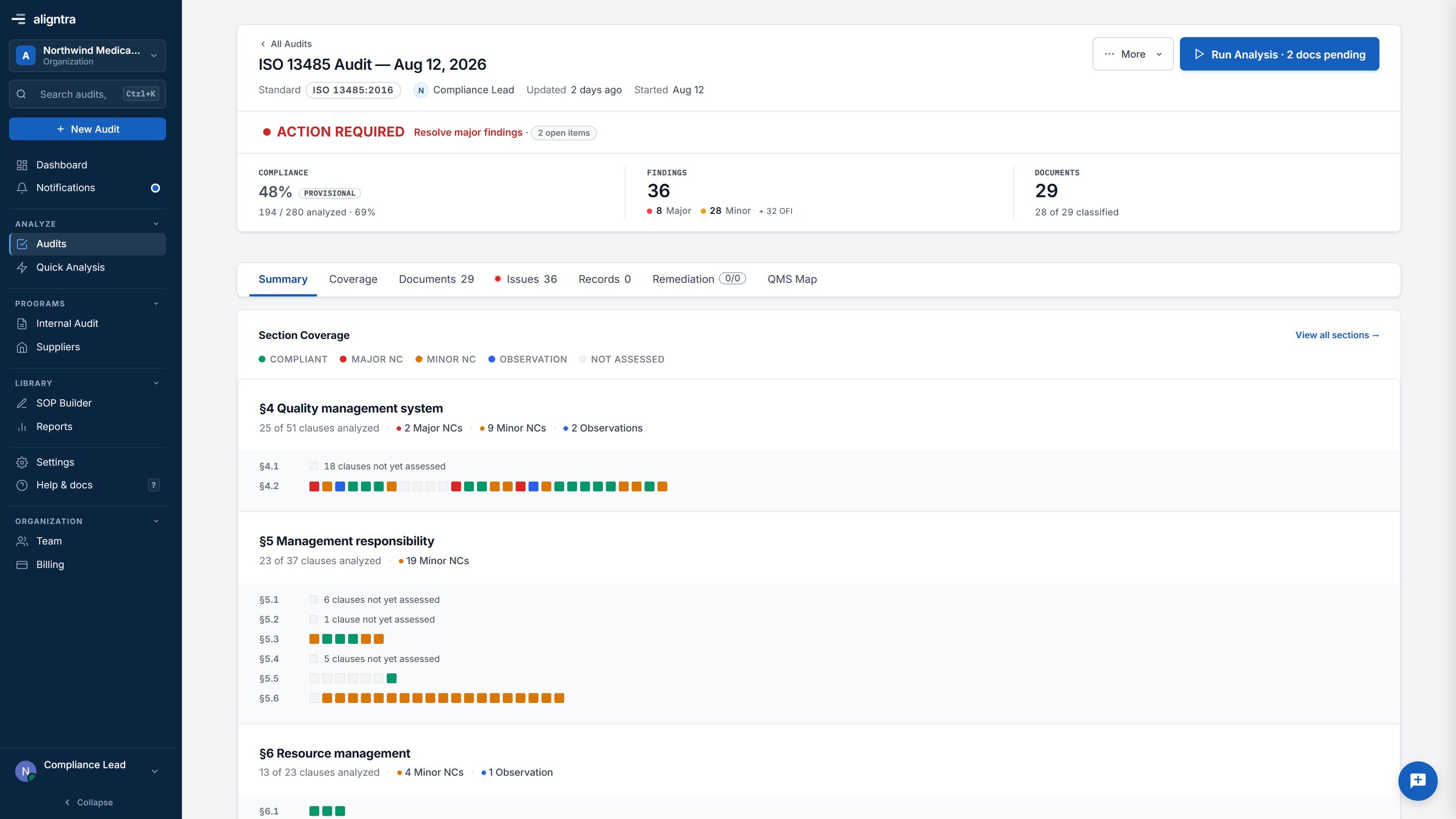
What it covers
The same path an auditor takes: what was read, what was covered, what was found, and who decides.
Documents
Procedures and records are classified to the clauses it serves.
Coverage
Coverage shows which clauses are addressed and which are not, before any finding is written.
Findings
A nonconformity opens the source at the cited passage.
Auditor review
Confirm, dismiss or reclassify. Nothing closes without a person.
See it on your own documents
Bring a folder of procedures to a thirty-minute call and we will run the same review against them live.